HippoCraft
HippoCraft is an open-source PDF reader and editor written entirely in Rust, built on PdfCraft and adding what Thai users need every day: editing Thai text inside files that already exist, breaking Thai lines at word boundaries, reading scanned Thai pages, and a Thai interface throughout.
The name is a nod to the Hippocratic Oath, a doctor's promise to do no harm. HippoCraft makes the same promise to your file: every save is appended, the original bytes are never touched, and every step can be undone.
Current version: 0.16.1-th14.1, tracking PdfCraft 0.16.1. Not yet distributed publicly.
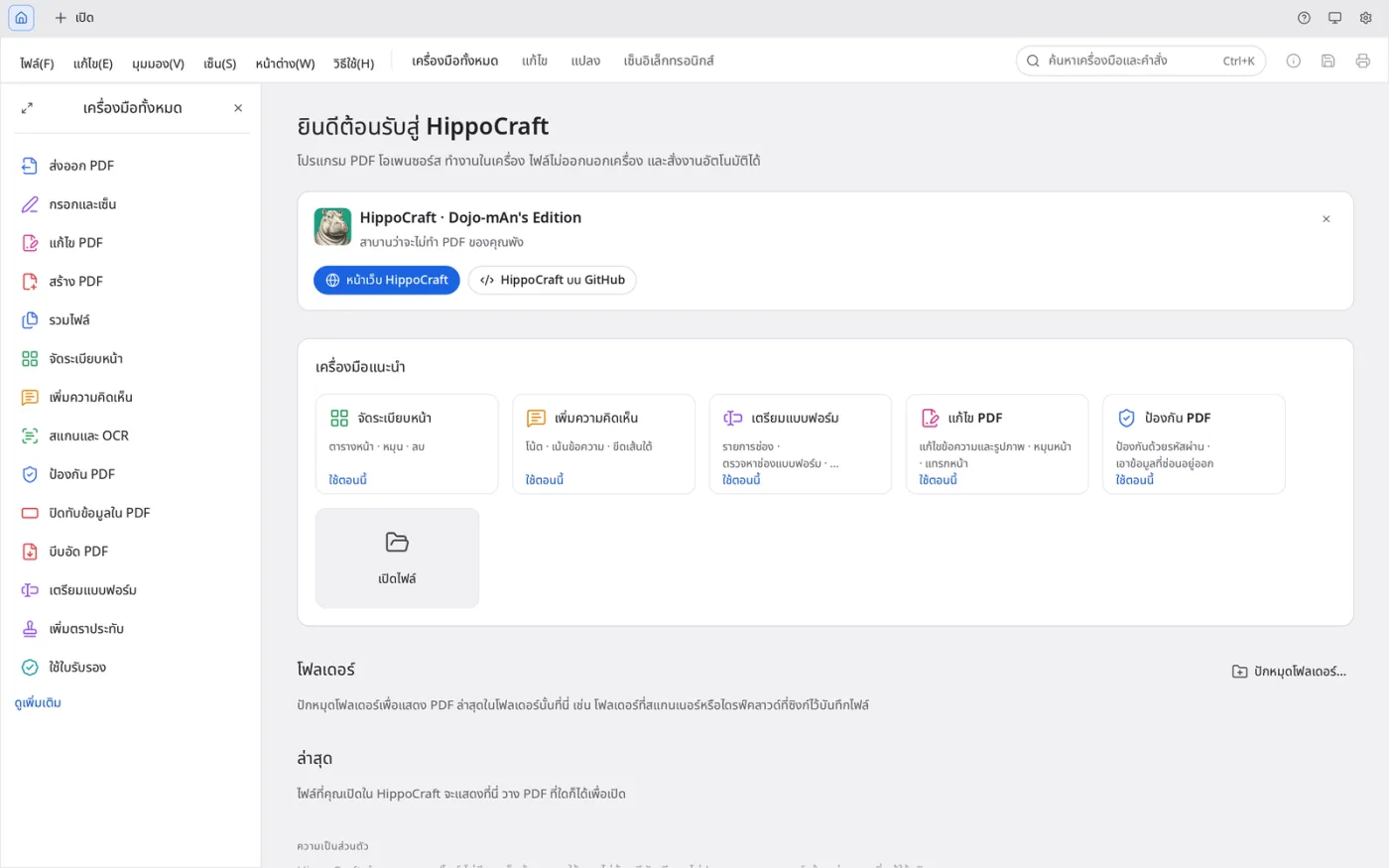 Every tool, menu and message is in Thai.
Why It Exists
- Most PDF software cannot edit Thai text. Vowels float, tone marks sink, or the whole run turns into boxes
- Ordinary OCR either cannot read Thai or requires uploading the file to a cloud service, which rules it out for internal documents
- An editor should work without an account, without telemetry, and without the file leaving the machine
- A fork should keep up with its upstream rather than freeze at the version it forked from
Core Capabilities
Editing Thai Text in Existing Documents
Click a line or a paragraph and type. The edit keeps the document's own font and size rather than substituting one.
- Paragraphs that grow or shrink are re-wrapped on Thai word boundaries using an ICU dictionary, so lines never break mid-word
- Bold, italic and underline apply to a whole paragraph or to selected words
- Thai and English on one line keep their own fonts
- Signatures and full-page background images stay where they are while text around them changes
- The caret lands on the right character after sara am, and backspace deletes the one you meant
- An edited paragraph remembers where its lines broke, so editing it repeatedly does not reflow it differently each time
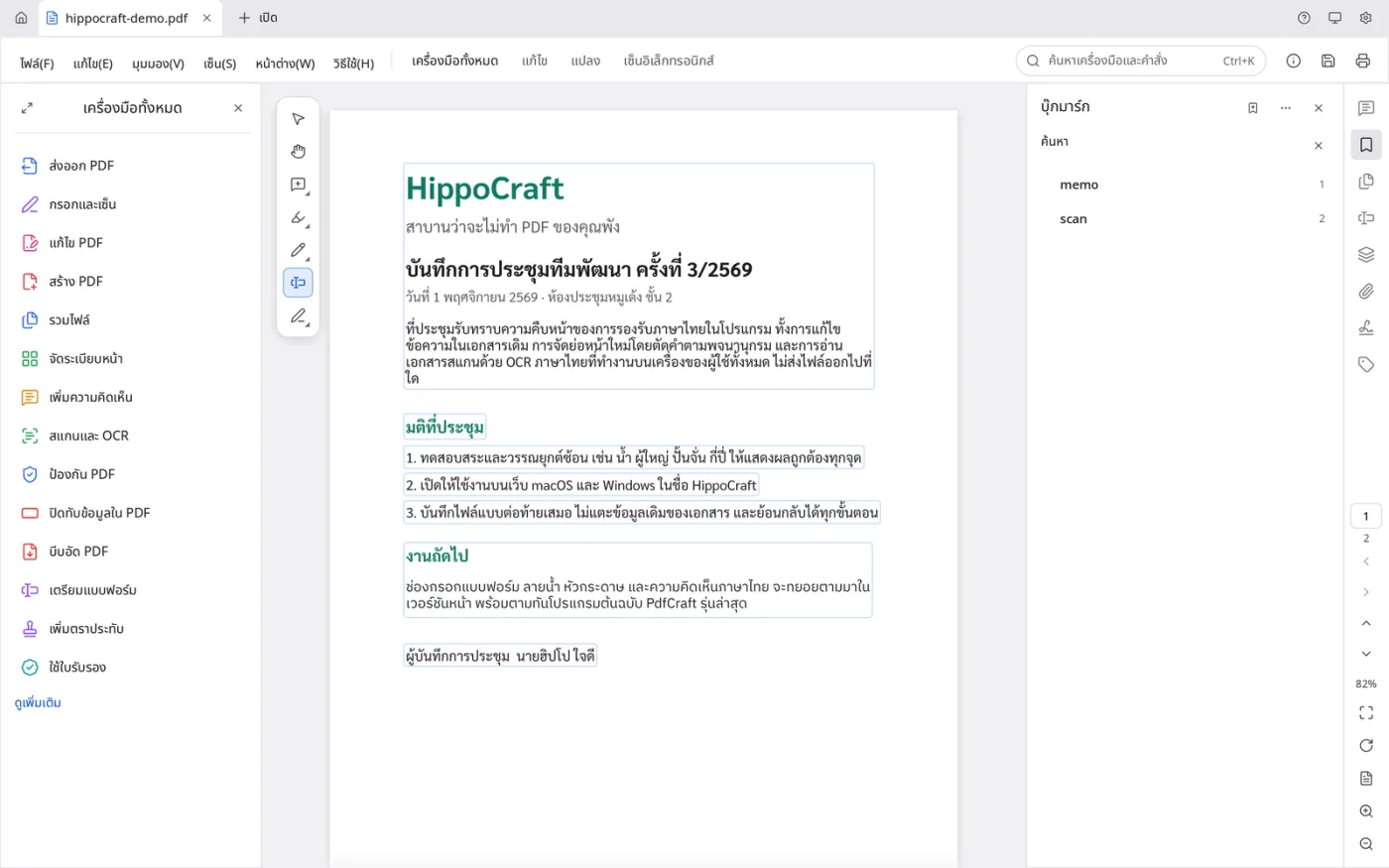 Click a Thai paragraph and type. The edit keeps the document's own font and size.
Thai Fonts Embedded Correctly
Sarabun, Noto Sans Thai and IBM Plex Sans Thai ship with the application under the Open Font License.
- Embedded as Type0 / CIDFontType2, subset to the characters actually used, with a ToUnicode map, so files stay small, render the same anywhere, and remain searchable and copyable
- Stacked vowels and tone marks are positioned with HarfRust (HarfBuzz)
- Fonts installed on the machine whose licence forbids embedding are never written into your file
Thai OCR, On Device
Scanned Thai pages are read by a PaddleOCR model that runs locally. No file is sent anywhere.
- An invisible text layer is placed over the scan, so the page becomes searchable and copyable while the image itself is unchanged
- Text lands on the ink, word spacing is preserved, and rotated scans are handled
- Progress is reported as a percentage and can be cancelled, in the desktop app and in the browser
- English words inside Thai documents are read as English rather than as Thai letters that look similar
- OCR mistakes can be corrected afterwards, and the white patch covering the original word always stays beneath the replacement text
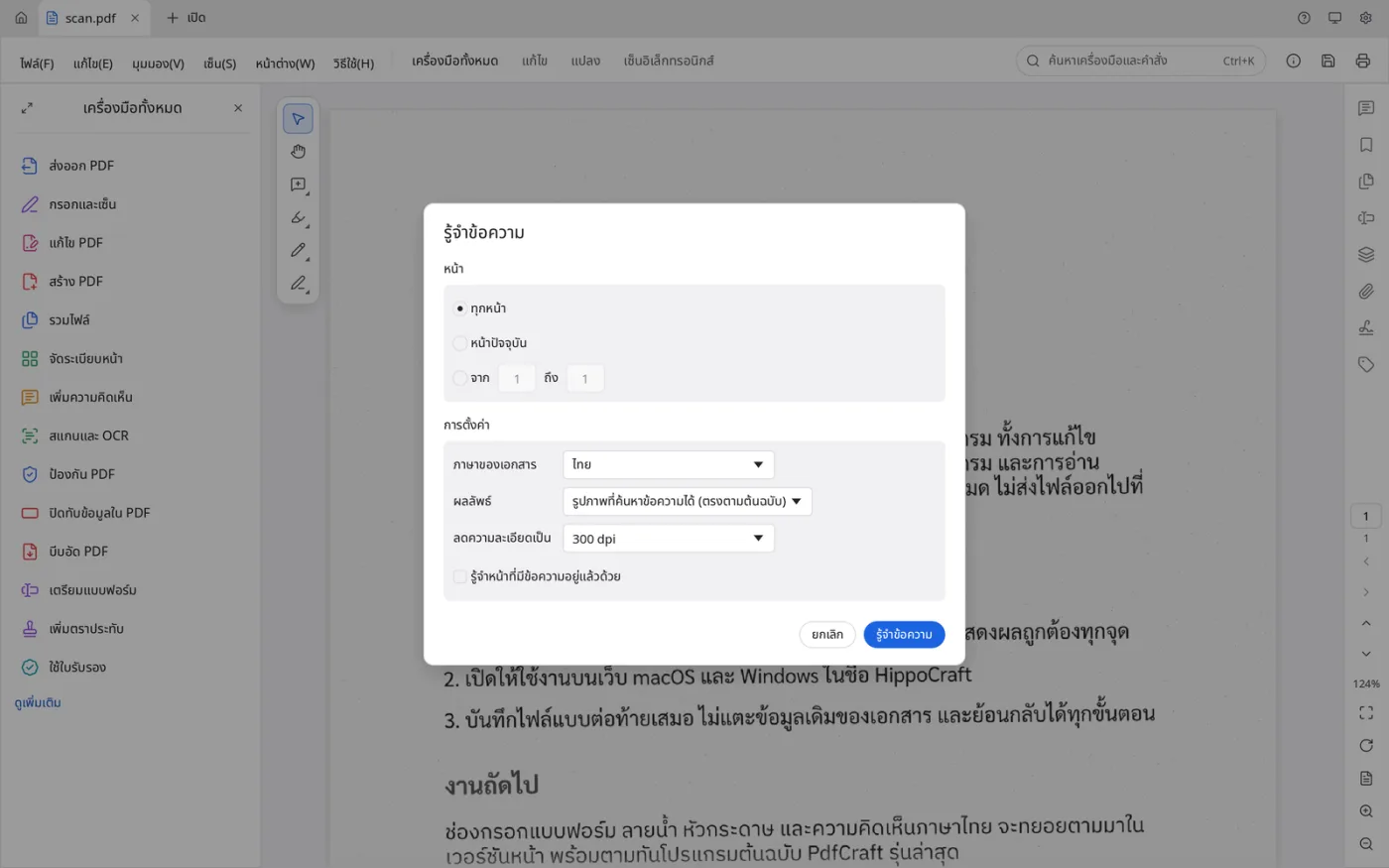 Recognising a scanned Thai page. The model runs on the machine.
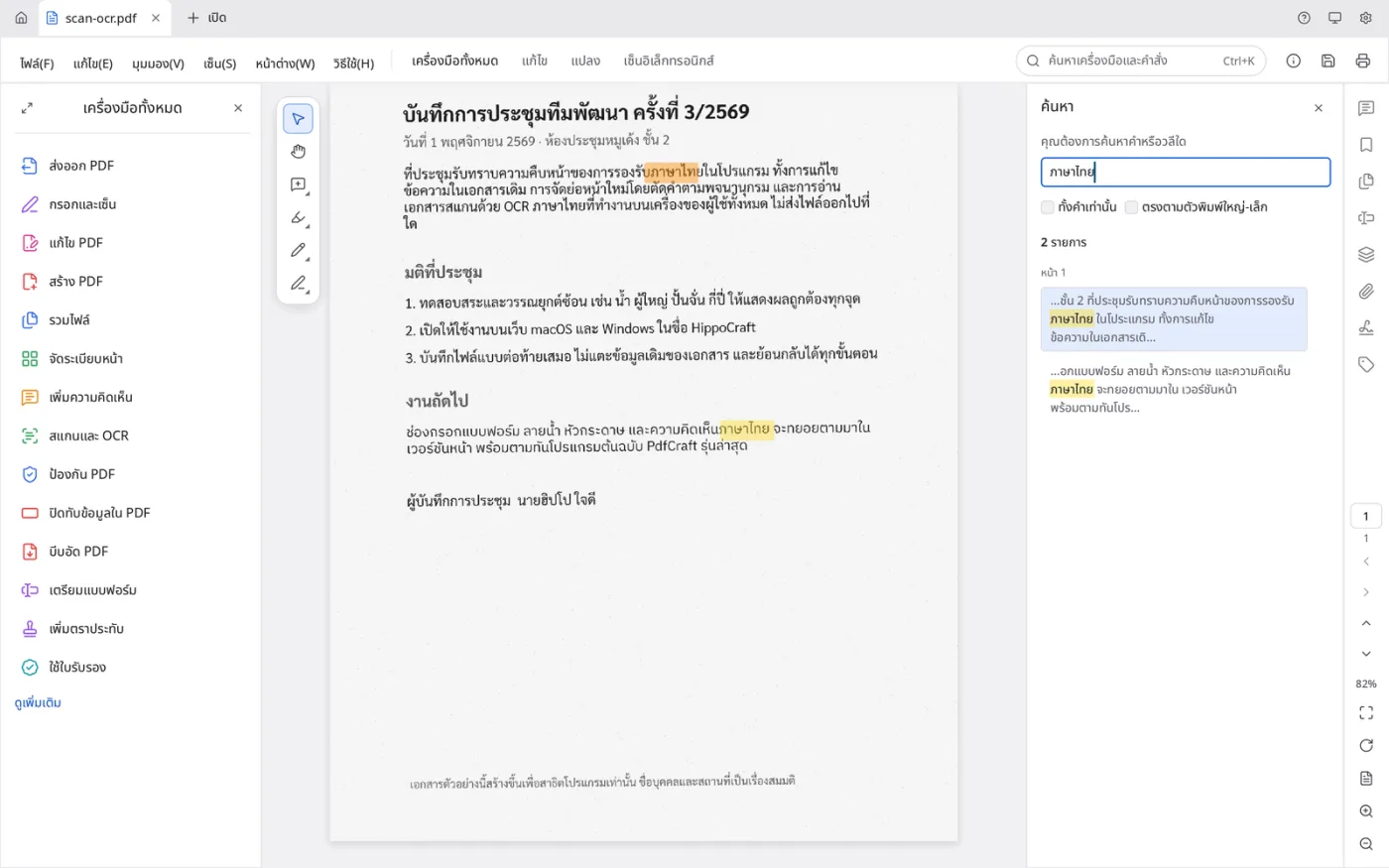 After recognition the scan is searchable: two matches for ภาษาไทย, the image itself unchanged.
Thai Handwriting, Optional
Handwritten regions can be sent to OpenTyphoon for recognition, but only when the user supplies their own API key in Preferences. The result is reviewed before it enters the document. With no key configured, the application makes no outbound connection at all.
Thai in Forms, Fill and Sign, Comments, Watermarks and Headers
- Form fields accept Thai even when the form specifies a font with no Thai glyphs; Sarabun is substituted and embedded, so the field reads the same in other viewers
- Fill and Sign and text boxes let you pick the font, and remember the choice
- Watermarks and headers or footers take Thai, with a single embedded font shared across every page
- Tone marks stacked above vowels are not clipped, and text boxes grow to fit them
- Thai text stays searchable and copyable everywhere it is placed
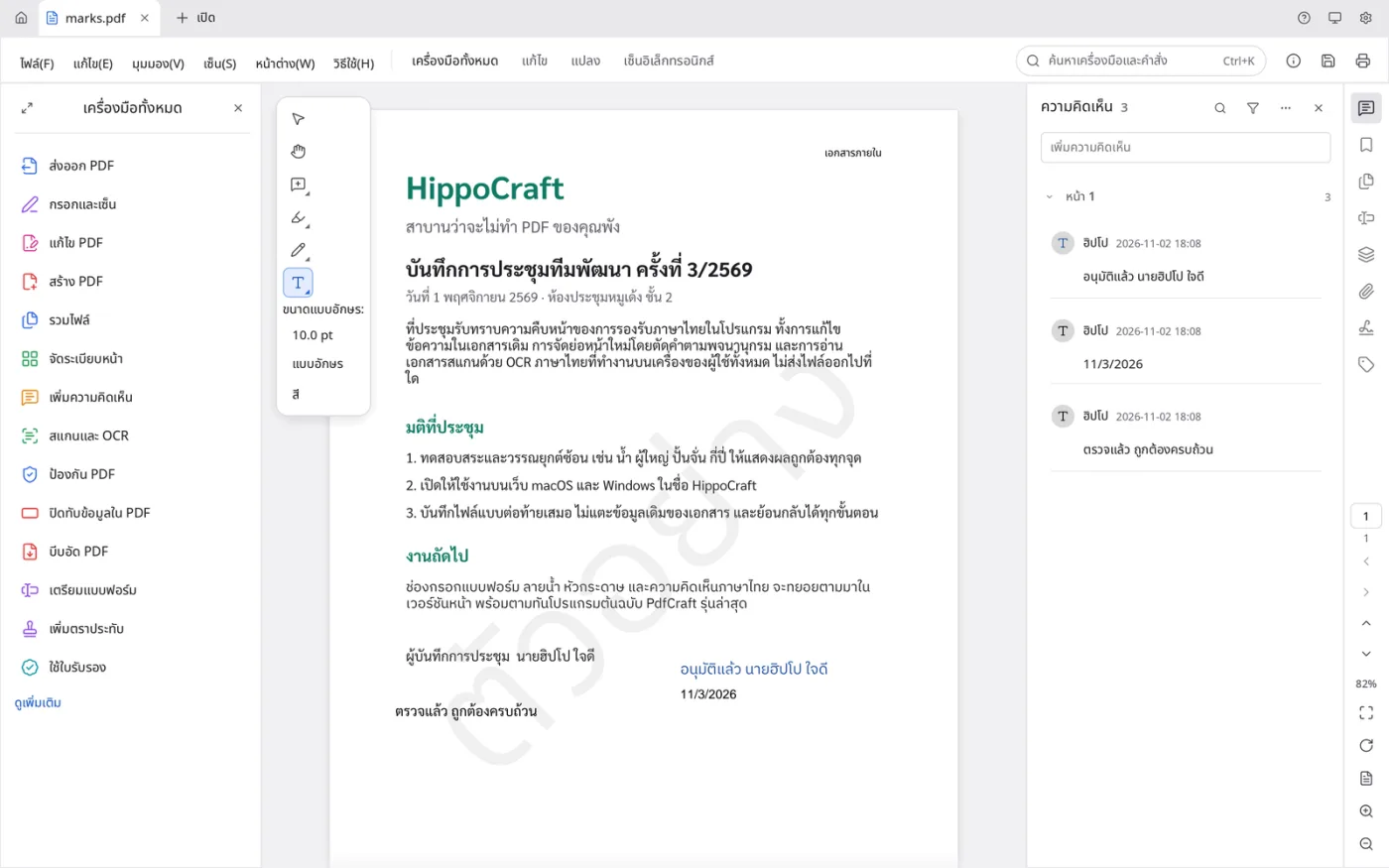 Comments, a watermark and a header, all in Thai, on one page.
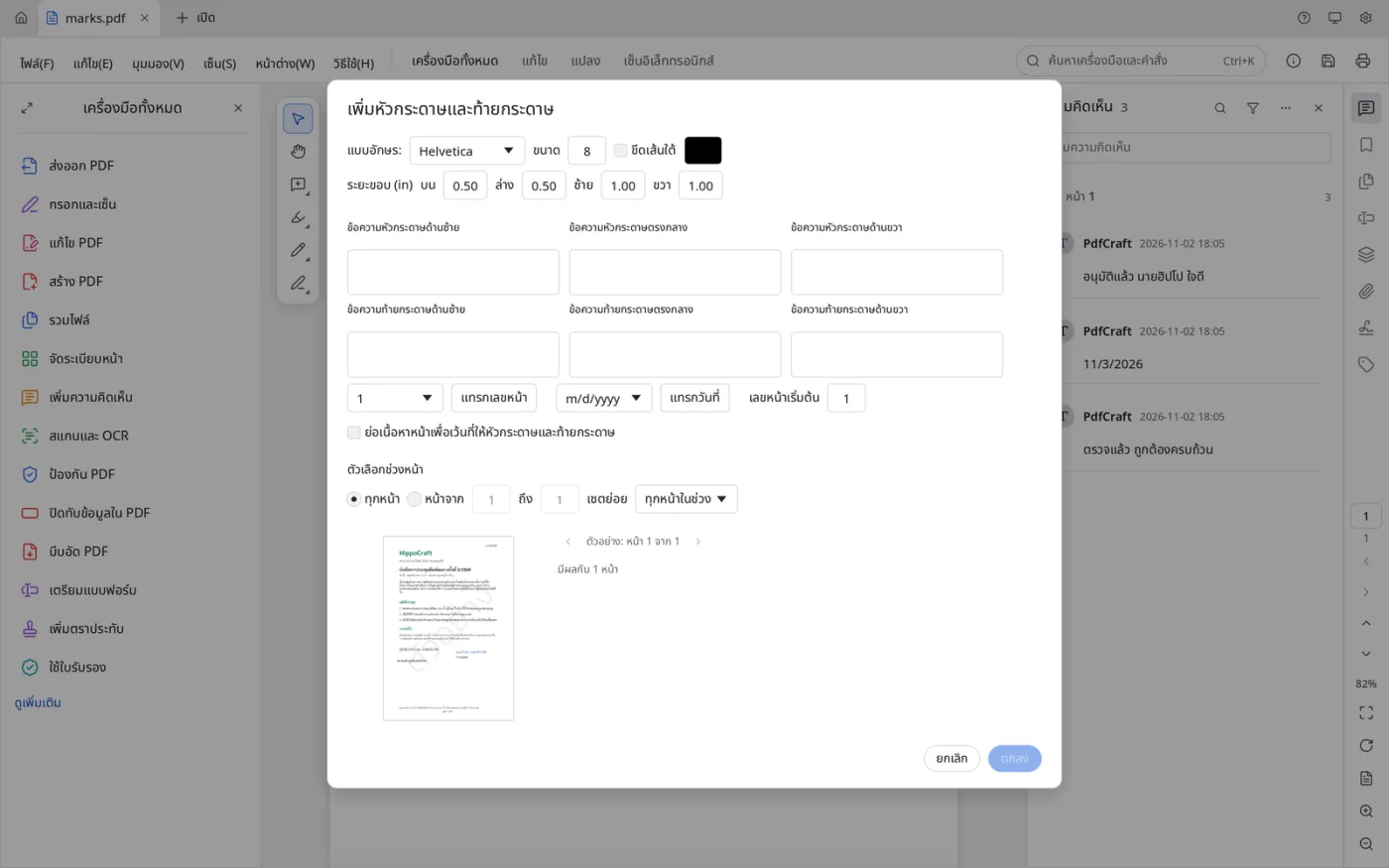 Headers and footers take Thai text and preview before they are applied.
A Thai Interface
Every menu, command, tool and message is in Thai, switchable in Preferences. Filenames the application generates from bookmarks or signer names keep their Thai vowels and tone marks. The update check looks at HippoCraft's own releases, so it is never replaced by an upstream build without Thai support.
Runs in the Browser
The same application runs in a browser through WebAssembly, Thai OCR included. Files are opened and edited in the browser and are not sent to a server.
Inherited from PdfCraft
Accurate rendering with worldwide language coverage, transparency, gradients and damaged files. Page organisation, merge, split, rotate, delete and move. Comments, forms, layers and attachments. Whole-document search, password protection and permanent redaction. Incremental saves, multi-level undo, no account and no telemetry. A hippocraft-cli command-line tool for batch work such as running OCR across a folder.
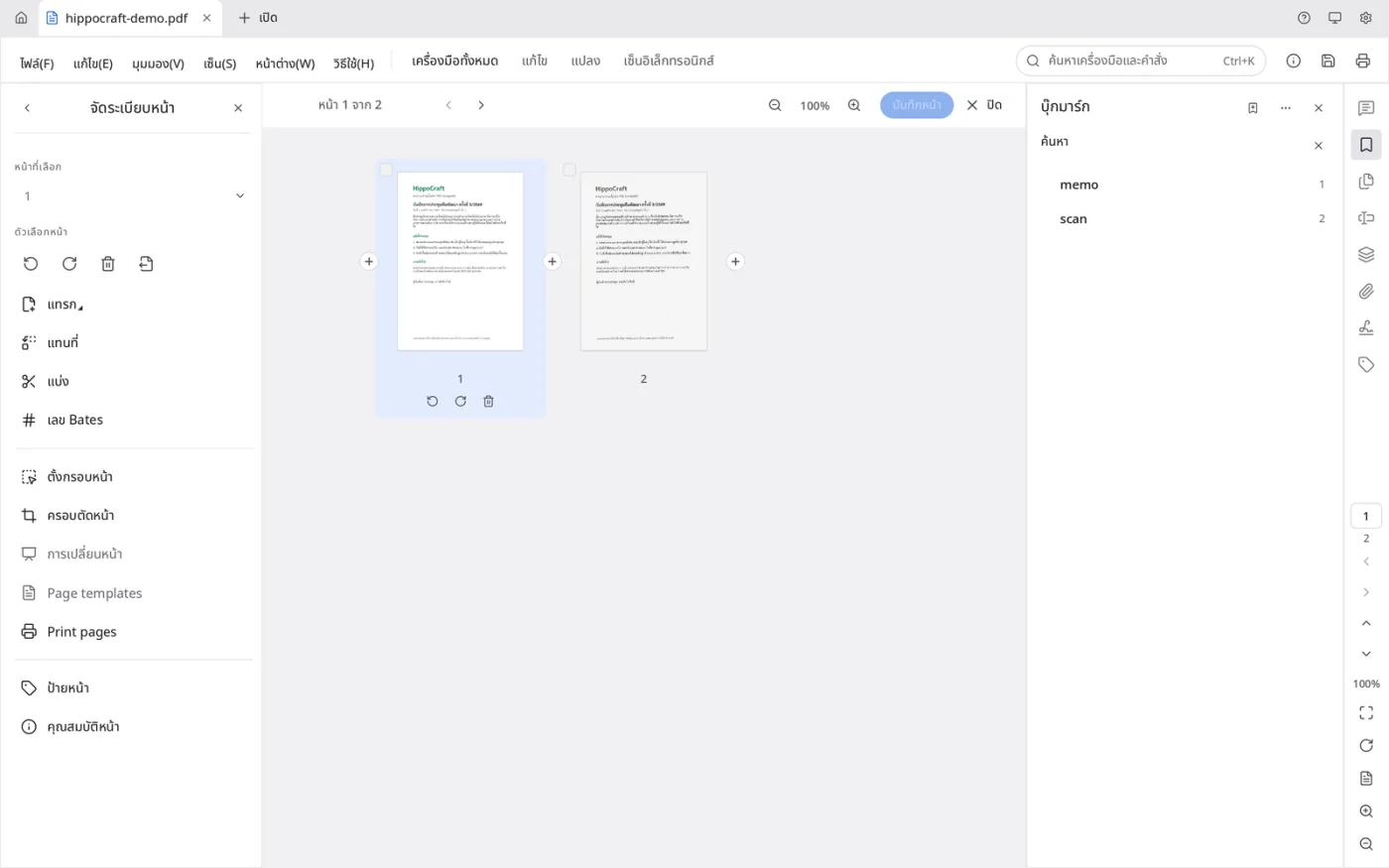 Pages arranged as cards: rotate, delete, split, insert.
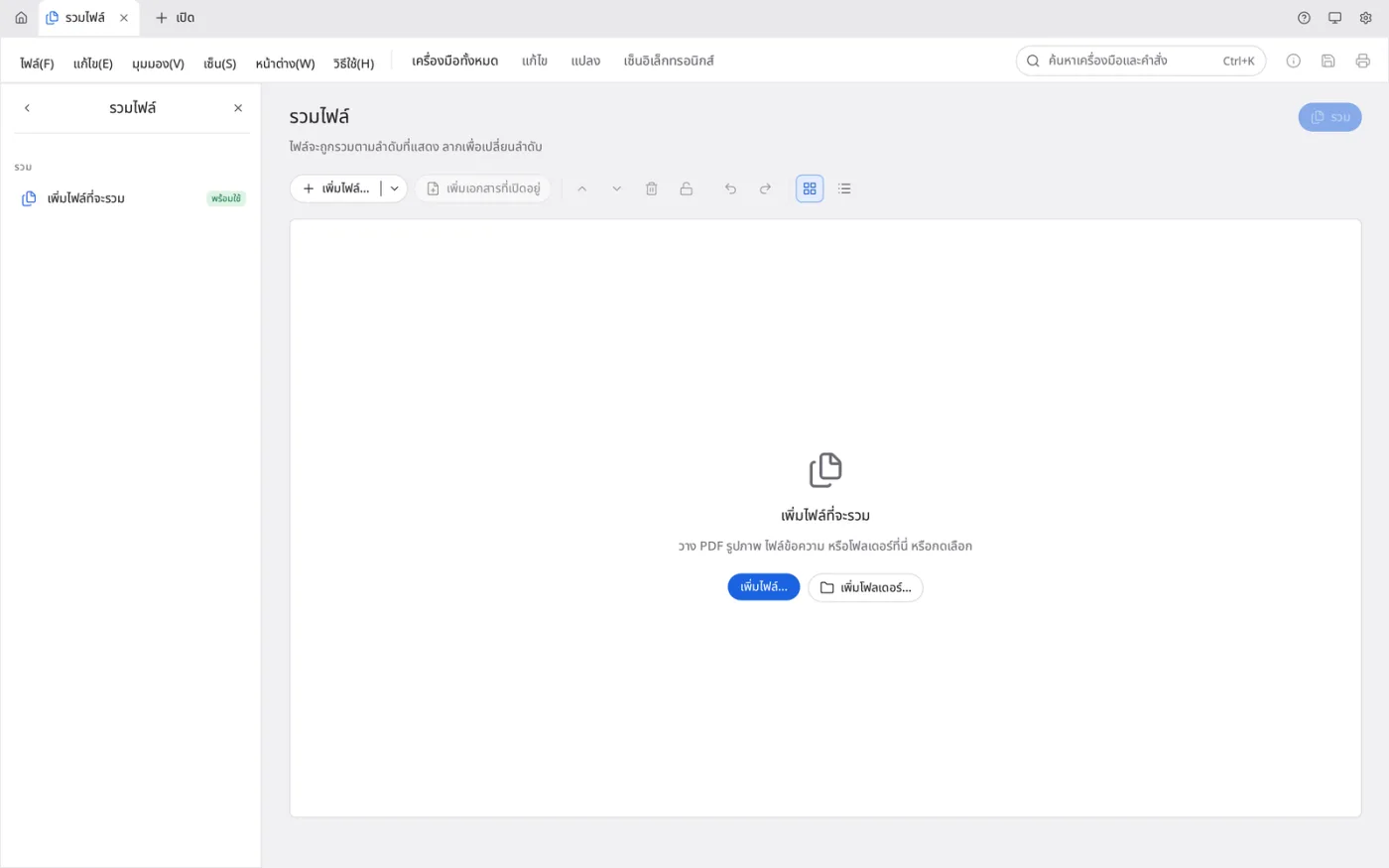 Combine files opens its own page, ready for PDFs, images or folders.
Platforms
| Platform | Notes |
|---|---|
| macOS (Apple Silicon) | HippoCraft.app, installs alongside upstream PdfCraft |
| Windows | Installer or portable build, per-user install needs no administrator |
| Linux, FreeBSD | Built from source |
| Browser | WebAssembly build, same engine |
Built on 33 Rust crates with a test suite of 5,775 cases.
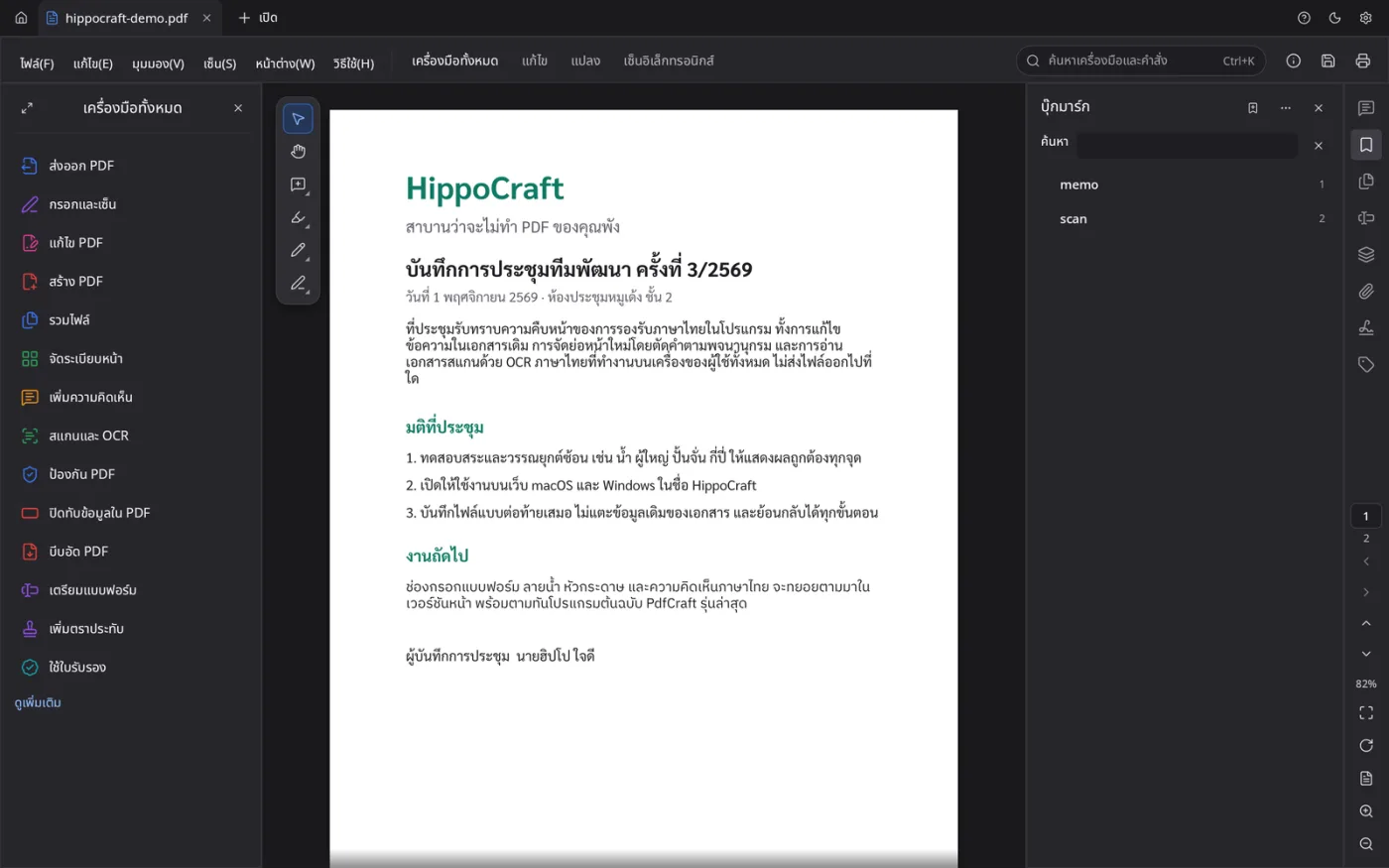 The dark theme, Thai text included.
Roadmap
- Thai fonts in form field properties — the font picker there still offers only Helvetica, Times and Courier, though Thai already falls back to Sarabun automatically
- Tracking PdfCraft 0.17.0 — merged in stages, the way earlier upstream versions were
- Smaller fixes — OCR reading "AI" as "Al", Thai line spacing, a Buddhist-era year option
- Page numbering — six positions, "page 1 of 10", skipping a cover, facing pages, Thai numerals